
OPC NEXUS│An OPC Server Comparison Guide for Manufacturing SIs » OPC Server Vendors for Industrial Automation » Inductive Automation / Ignition OPC UA Module
Inductive Automation / Ignition OPC UA Module
INDEX
View All

Source: Inductive Automation Official Website
(https://inductiveautomation.com/ignition/modules/ignition-opc-ua)
(https://inductiveautomation.com/ignition/modules/ignition-opc-ua)
Ignition OPC UA connects industrial equipment and software through OPC Unified Architecture. Its OPC UA Module provides server functionality and works with device drivers to make equipment data available to Ignition and external OPC UA clients. Ignition also has a built-in OPC UA client that can connect to external servers without this module.
For manufacturers and system integrators in India, the starting point is deciding where equipment communication should reside: in Ignition, in an existing OPC server, or across both. The sections below cover product capabilities, suitable projects, deployment requirements and connection checks, based on Ignition 8.3 documentation.
Source: Inductive Automation Official User Manual (Ignition 8.3)
(https://www.docs.inductiveautomation.com/docs/8.3/ignition-modules/opc-ua)
(https://www.docs.inductiveautomation.com/docs/8.3/ignition-modules/opc-ua)
Challenges Ignition OPC UA Can Help Solve
Connecting Supported PLCs to Ignition
Ignition's device drivers bring data from supported controllers into its OPC UA server. For equipment covered by those drivers, this can remove the need for a separate OPC server between the PLC and Ignition. The PLC does not need its own OPC UA server when the selected driver communicates using the PLC's supported protocol.
Bringing Existing OPC UA Servers into Ignition
An existing OPC UA server can remain the communication layer for equipment it already supports. Ignition connects to that server as a client, allowing a new application to use the available data without rebuilding every PLC connection. This also provides a route for equipment outside Ignition's own driver coverage.
Sharing Equipment Data with External OPC UA Clients
The OPC UA Module makes connected device data accessible to compatible external clients. A separate SCADA application can therefore request data through Ignition instead of maintaining its own direct PLC connection. Access to Ignition Tag Providers is separately configurable; installing the module does not automatically publish every project tag.
Source: Inductive Automation Official User Manual (Ignition 8.3)
(https://www.docs.inductiveautomation.com/docs/8.3/ignition-modules/opc-ua/ignitions-opc-ua-server)
(https://www.docs.inductiveautomation.com/docs/8.3/ignition-modules/opc-ua/ignitions-opc-ua-server)
What Types of Sites Is Ignition OPC UA Suitable For?
Plants Building or Expanding an Ignition System
Plants introducing Ignition alongside supported controllers can keep device communication and application development within the same platform. This is particularly relevant when the engineering team will maintain both the equipment connections and the Ignition project. Before extending an existing installation, document who owns driver updates, tag changes and commissioning tests.
Sites Retaining Existing OPC UA Infrastructure
Sites with established OPC UA connections can introduce Ignition while keeping those connections in service. For example, a factory adding a monitoring application may retain an equipment supplier's OPC server rather than transfer responsibility for its device configuration. The project still needs an agreed tag list and access to both systems for integration testing.
Projects That Need Additional Connectivity Checks
Mixed-equipment projects need model-level checks before selecting a communication platform. A manufacturer name on a driver list does not establish support for every controller, firmware version or data type. Record unsupported devices separately and evaluate an external server or another connection route for each one.
If your shortlist includes dedicated OPC servers as well as Ignition, compare them against the equipment and operating responsibilities in your project.
Source: Inductive Automation Official User Manual (Ignition 8.3)
(https://docs.inductiveautomation.com/docs/8.3/ignition-modules/opc-ua/third-party-opc-servers)
(https://docs.inductiveautomation.com/docs/8.3/ignition-modules/opc-ua/third-party-opc-servers)
Key Specifications of Ignition OPC UA
| Product | Ignition OPC UA Module, used within the Ignition platform |
|---|---|
| Server role | Provides an OPC UA server for connected device data and configured tag exposure |
| Client role | Built into Ignition; connects to external OPC UA servers |
| Communication | OPC UA using UA/TCP transport and UA/Binary encoding |
| Operating systems | Windows, Linux and macOS; check supported versions for the intended release |
| Commercial scope | OPC UA Module and Core Drivers are included in the Ignition platform; confirm additional module and driver requirements |
Source: Inductive Automation Official User Manual (Ignition 8.3)
(https://www.docs.inductiveautomation.com/docs/8.3/ignition-modules/opc-ua)
(https://www.docs.inductiveautomation.com/docs/8.3/ignition-modules/opc-ua)
Supported Devices and Connection Targets
Representative driver coverage includes the following families. Use the individual driver documentation to verify the exact connection requirements.
| Driver or family | Representative connection targets |
|---|---|
| Allen-Bradley | Supported Allen-Bradley Ethernet controllers |
| Siemens | S7-300, S7-400, S7-1200 and S7-1500 controllers |
| Modbus Ethernet | Devices supporting Modbus TCP |
| Omron | NJ/NX and CS/CJ families through the appropriate driver |
| Mitsubishi TCP | iQ-R, iQ-F (FX5U), Q and L series |
Tag browsing depends on the driver and device. Some connections require manually configured addresses, so include tag creation effort when estimating engineering time.
Source: Inductive Automation Official User Manual (Ignition 8.3)
(https://www.docs.inductiveautomation.com/docs/8.3/ignition-modules/opc-ua)
(https://www.docs.inductiveautomation.com/docs/8.3/ignition-modules/opc-ua)
Included Functions and Additional Modules
The OPC UA Module handles server connectivity and provides a public API for custom driver development. Device drivers are installed as modules within Ignition.
Application functions require their own selection. Perspective and Vision provide visualization, historian modules handle historical storage, and SQL Bridge supports transaction groups. Include the modules required by the application rather than assuming an OPC UA connection alone provides a complete SCADA or data-logging system.
Deployment Requirements and Licensing
Deployment requires an Ignition Gateway and the modules needed for the chosen architecture. Size the host against device count, requested update rates and application workload; a minimum installation specification does not establish production capacity.
Ignition licensing is server-based and modular. Request a configuration-specific quotation covering the platform, additional drivers or modules, redundancy and support. For an Indian deployment, also clarify the quotation currency and the scope of local commissioning and ongoing assistance. Do not interpret inclusion of OPC UA in the platform as a complete, free production system.
Source: Inductive Automation Official Website
(https://inductiveautomation.com/pricing/ignition)
(https://inductiveautomation.com/pricing/ignition)
Ignition OPC UA Connection Examples
These examples describe possible architectures, rather than customer implementation results.
PLC to Ignition Through a Device Driver
For a supported PLC, create a device connection in the Gateway and select the matching driver. The driver communicates with the controller, while Ignition's OPC UA server provides the resulting data to the application. An illustrative use is collecting machine status from one controller for an Ignition operator display.
External OPC UA Server to Ignition
For a production line already served by an OPC UA server, configure an outgoing OPC UA connection from Ignition to that server. The external server continues communicating with the equipment. In this arrangement, commissioning depends on obtaining the server endpoint, appropriate credentials and certificate access from its administrator.
Ignition to a Third-Party OPC UA Client
For an external application that needs equipment values, configure its client to connect to Ignition's OPC UA server. Decide whether it needs connected device nodes or data from an Ignition Tag Provider. Test with the intended client account so that successful administrator access is not mistaken for successful production access.
Source: Inductive Automation Official User Manual (Ignition 8.3)
(https://www.docs.inductiveautomation.com/docs/8.3/ignition-modules/opc-ua/ignitions-opc-ua-server)
(https://www.docs.inductiveautomation.com/docs/8.3/ignition-modules/opc-ua/ignitions-opc-ua-server)
What to Check Before Setting Up a Connection
Establish the connection role before configuring addresses or certificates. A direct PLC connection and an outgoing OPC UA server connection use different settings.
- Confirm the release and route. Use documentation matching the installed Ignition version, and identify the server and client in the proposed connection.
- Check network reachability. For incoming connections, Ignition's server defaults to a localhost bind address and port 62541. Remote clients require an appropriate reachable interface, endpoint address and firewall configuration.
- Verify certificate trust. Check the client and server certificate stores, certificate validity and compatible security settings on both systems. Trust only certificates verified as belonging to the intended peer.
- Configure access. Set authentication and the required browse, read or write permissions. Enable Expose Tag Providers only if the external application needs those tags.
- Validate actual data. Use the OPC Quick Client where browsing is supported, or configure the required OPC Item Paths. Check values, quality and timestamps before building the application around them.
Keep a record of the tested endpoint, tag paths and connection settings for commissioning handover.
Source: Inductive Automation Official User Manual (Ignition 8.3)
(https://www.docs.inductiveautomation.com/docs/8.3/ignition-modules/opc-ua)
(https://www.docs.inductiveautomation.com/docs/8.3/ignition-modules/opc-ua)
Is an Ignition OPC UA Trial or Demo Available?
Ignition offers a downloadable trial with a two-hour runtime timer that can be reset repeatedly. The Gateway webpage and Designer remain available when the trial expires, while trial-dependent execution stops until the timer is reset. This is an evaluation arrangement, not uninterrupted production operation.
Use the evaluation to test a representative device, realistic tag volume and the required update rates. Include reconnection after a planned interruption and any required write operations in an approved test environment. For projects requiring a longer unattended test, discuss evaluation arrangements with the supplier before scheduling it.
Frequently Asked Questions About Ignition OPC UA
Is Ignition an OPC UA Server or a Client?
It can perform both roles. Client functionality is built into Ignition; the OPC UA Module supplies server functionality and enables use of its device driver modules. The required role depends on which system provides the data.
Can Ignition Be Used as a Standalone OPC UA Server?
Yes. An Ignition installation with the OPC UA Module and required drivers can serve device data to external OPC UA clients without a local visualization application. It still runs within an Ignition Gateway; confirm the commercial configuration for that deployment.
Does Ignition OPC UA Support OPC DA Connections?
Connections to legacy OPC DA servers use the separate OPC COM module. The official documentation specifies a Windows-based Ignition Gateway for these COM connections. Treat this as a separate integration route when reviewing an existing OPC DA installation.
Why Is My Ignition OPC UA Connection Faulted?
Open the faulted connection's error details first. Possible causes include an unreachable endpoint, incompatible security settings, rejected or expired certificates, and authentication failures. If the connection succeeds but values remain unavailable, check tag paths and permissions separately. The error message should guide the next check.
Manufacturer Information
Inductive Automation develops Ignition. For projects in India, contact the company to confirm purchasing arrangements and use its integrator directory to investigate implementation support. Agree on service coverage and response expectations with the selected provider.
| Company | Inductive Automation |
|---|---|
| Headquarters | 90 Blue Ravine Road, Folsom, CA 95630, USA |
| International telephone | +1 916 456 1045 |
| Sales contact | accountservices@inductiveautomation.com |
| Official website | https://inductiveautomation.com/ |
Source: Inductive Automation Official Website
(https://inductiveautomation.com/about/contact)
(https://inductiveautomation.com/about/contact)
OPC Server Products
by Site Requirement
by Site Requirement
Data Utilization and
Scalable Integration Platform
Scalable Integration Platform
* MQTT and HTTP functions are available in the Professional Edition.
Source: TAKEBISHI CORPORATION official website https://www.faweb.net/en/product/opc , https://www.faweb.net/en/product/opc/v7release
Source: TAKEBISHI CORPORATION official website https://www.faweb.net/en/product/opc , https://www.faweb.net/en/product/opc/v7release
DeviceXPlorer OPC ServerTAKEBISHI CORPORATION
Add or Change Equipment Without Stopping Operation
Communication parameters can be changed dynamically while the server keeps running, so adding a device or revising a setting does not interrupt data collection. Drivers cover 400+ device series from 100+ manufacturers, including Siemens, Rockwell Automation, Mitsubishi Electric and Omron, so most equipment changes are handled as a setting change rather than a rebuild.
One Standard Interface for Upper Systems Across Sites
Every site publishes data through OPC UA, or sends it to AWS, Azure and other cloud services over MQTT or HTTP*, so upper systems see the same interface wherever the data originates. A cloud-side OPC UA client can initiate the connection, so no inbound ports need to be opened at the site. Calculation, conditional branching and recipe handling are configured on the server itself at no additional cost, keeping that work off the SCADA or MES side.
Large-Scale Monitoring
Across Multiple Sites
Across Multiple Sites

Source: PTC official website
https://www.ptc.com/en/products/kepware/kepware-server
https://www.ptc.com/en/products/kepware/kepware-server
Kepware ServerVelotic (Kepware, formerly a PTC business)
Designed for Multi-Site Expansion
Packaged licensing* for large-scale standardization reduces the need to procure licenses when adding new sites or manage updates site by site. This supports scaling while maintaining the management framework.
Remote Management
and Configuration
and Configuration
With add-on options, OPC servers running at different sites can be centrally managed from the main site.
Audit Readiness for Plant Operations
Source: Honeywell official website
https://www.matrikonopc.com/index.aspx
https://www.matrikonopc.com/index.aspx
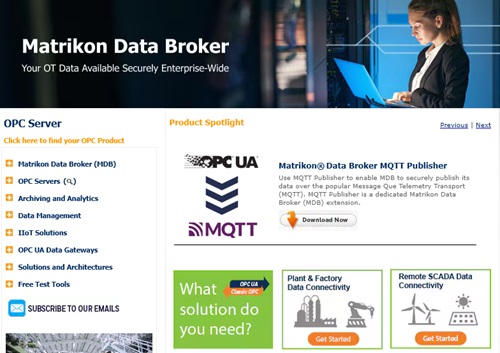
MatrikonOPC ServerHoneywell
Integrate Field Data
into the Monitoring Network
into the Monitoring Network
Collects oil and gas drilling data via OPC. Secure transmission across firewalls and redundancy help maintain an audit-ready data foundation over time.
Quickly Check Who Did What,
and When
and When
All servers include diagnostic logging with log-level settings and filtering. The logs can also serve as a foundation for audit trails.
*Purchasing Site & Enterprise licenses requires an inquiry to
Velotic.