
OPC NEXUS│An OPC Server Comparison Guide for Manufacturing SIs » OPC Server Vendors for Industrial Automation » Siemens / OPC UA Server
Siemens / OPC UA Server
INDEX
View All
Siemens OPC servers connect SIMATIC automation data with OPC UA clients such as HMI, SCADA, MES, ERP and cloud applications. Depending on the installed hardware, the server can run directly on a SIMATIC S7-1200 or S7-1500 controller or on a PC through SIMATIC NET.
This independent overview compares the available approaches for Indian manufacturers and system integrators. Functions, capacity limits and licensing depend on the CPU, firmware and TIA Portal version.
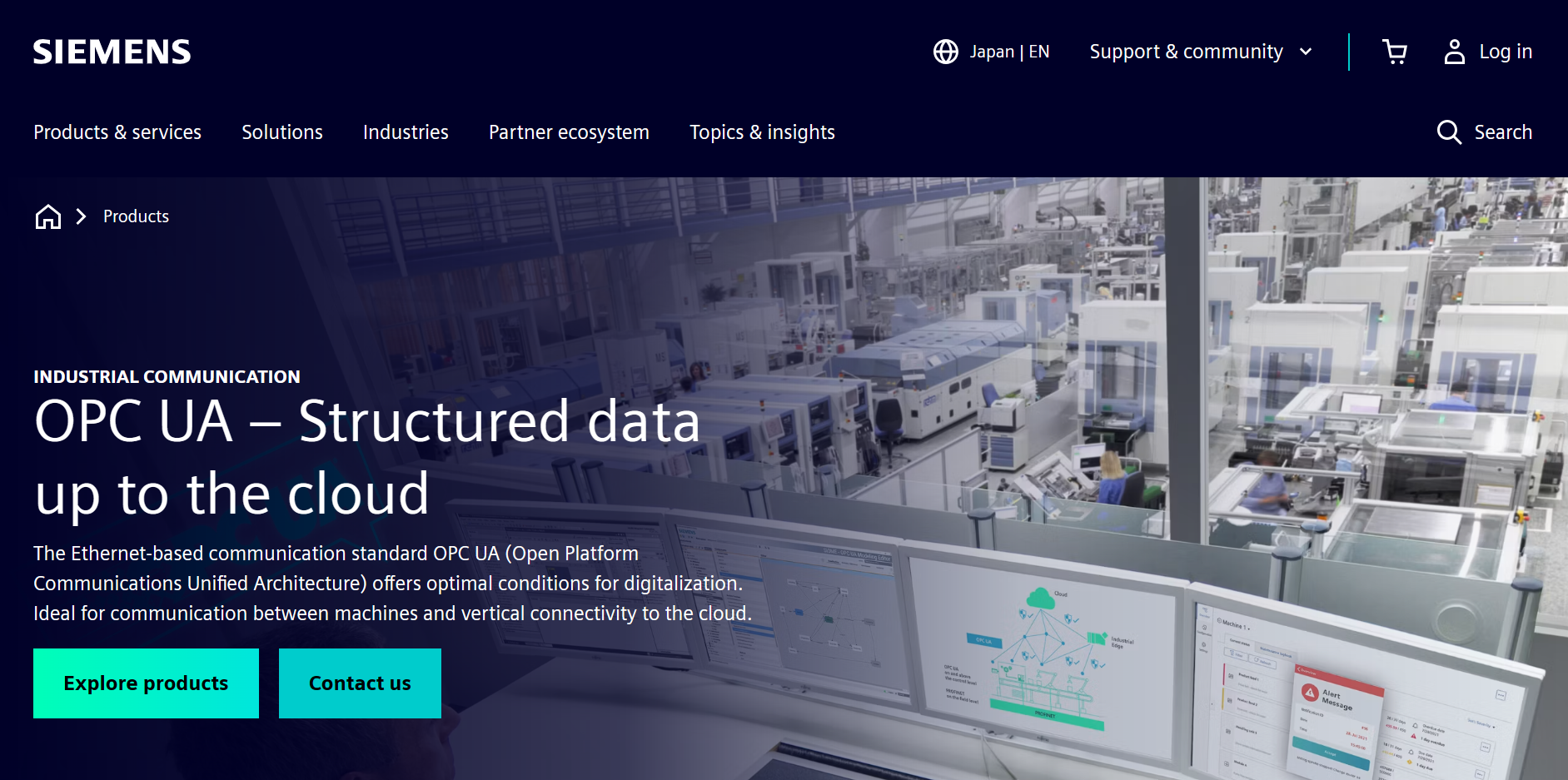
Source: Siemens Official Website
(https://www.siemens.com/en-gb/products/opc-ua/)
(https://www.siemens.com/en-gb/products/opc-ua/)
What a Siemens OPC server does
Provides a standard interface for PLC data
An OPC UA server publishes approved data through a common interface. Clients can browse nodes, read or write permitted values and create subscriptions. Some configurations also support method calls. This avoids building a separate connection for every HMI, SCADA or business application.
Adds structure and context
OPC UA can describe the meaning and relationships of industrial data, not just transfer tag values. With compatible Siemens hardware and software, engineers can create modeled server interfaces, map PLC tags and apply supported companion specifications.
Connects OT and IT systems
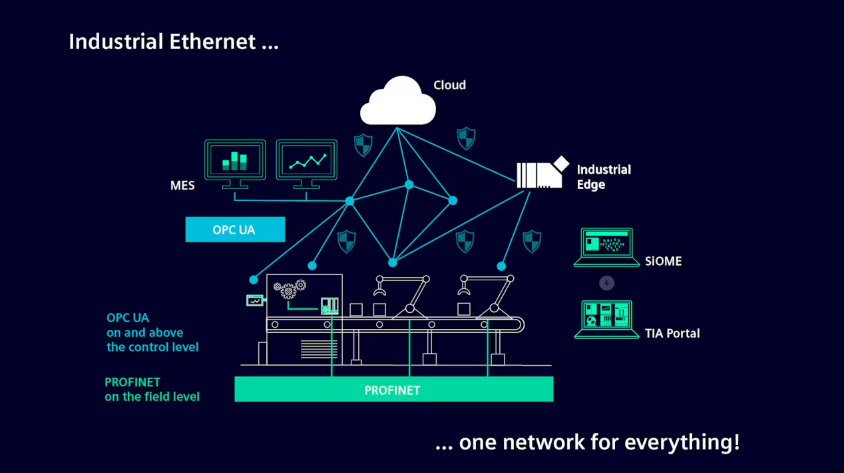
Siemens positions OPC UA between the control layer and systemssuch as SCADA, MES, ERP and cloud platforms. It works alongside PROFINET, which remains Siemens’ main communication system for field-level I/O.
Which sites should consider Siemens OPC UA?
Source: Siemens Official Website
(https://www.siemens.com/en-gb/products/opc-ua/)
(https://www.siemens.com/en-gb/products/opc-ua/)
Plants using SIMATIC S7-1200 or S7-1500 controllers
A compatible SIMATIC CPU can publish selected PLC data without a separate gateway at each machine. This is often the simplest approach for plants already standardized on supported S7 controllers.
Factories connecting PLCs with SCADA, MES or analytics
OPC UA can carry data between automation and business systems, but the project team still needs to define the architecture. Decisions should cover tag ownership, timestamps, update rates, write access and communication-failure handling.
Brownfield plants with older equipment
SIMATIC NET OPC UA Server provides a PC-based integration option for supported devices and systems. It may suit sites whose controllers lack the required embedded functions or plants that prefer a central integration layer.
Siemens OPC server options
| Option | Minimum documented version | Main role | Selection point |
|---|---|---|---|
| SIMATIC S7-1200 embedded OPC UA server | Firmware V4.4 or later for the classic S7-1200 family | Publish enabled PLC and DB tags to OPC UA clients | Capacity is lower than on the S7-1500. Review the exact CPU and runtime license. |
| SIMATIC S7-1500 embedded OPC UA server | Firmware V2.0 or later | Publish data, methods and modeled interfaces | Sessions, nodes, subscriptions and sampling limits vary by CPU. |
| SIMATIC S7-1500 OPC UA client | Firmware V2.6 or later | Read or write data and call methods on another OPC UA server | The client function does not replace the server elsewhere in the architecture. |
| SIMATIC NET OPC UA Server | Product and version dependent | Provide PC-based integration for supported equipment | Review PLC support, communication routes, Windows compatibility and current catalog details. |
Source basis: Siemens OPC UA product information and Siemens STEP 7 documentation. Availability, system limits and licensing may change. Refer to the current India catalog before ordering.
S7-1200 and S7-1500 differences
Siemens documents the classic S7-1200 server under the “Micro Embedded Device 2017 Server Profile.” It has fewer functions and lower quantity limits than the S7-1500. Registered Read and Registered Write are unavailable. Server methods and structured data types require firmware V4.5 or later.
The S7-1500 supports the OPC UA server from firmware V2.0 and the client from V2.6. Siemens documentation also covers the S7-1200 G2. Use the order number and applicable software release when reviewing a G2 controller rather than relying on classic S7-1200 specifications.
Engineering, licensing and security
Engineering and runtime licenses
For the documented classic S7-1200 configuration, Siemens specifies firmware V4.4 or later, TIA Portal V16 or later and a runtime license. Licensing guidance calls for one license per CPU, with the class based on CPU capacity. Siemens India can provide the current article number.
Certificates and user access
The Siemens S7-1200 example uses a certificate generated in TIA Portal to activate the server. During engineering, define which clients are trusted, how users authenticate and what each role can read or write. Certificate renewal and accepted security policies also need documented procedures.
Network protection
OPC UA security is only one part of the plant’s security design. Use network segmentation and firewalls, restrict connections, keep software on supported versions and install relevant updates.
Siemens OPC UA application example
Conveyor monitoring with an S7-1200
Siemens provides an example in which an S7-1200 CPU monitors a conveyor and publishes selected data through a modeled interface. The setup uses a CPU 1215C with firmware V4.4, TIA Portal V16 and UaExpert as the OPC UA client.
The example covers server activation, license selection, interface creation, PLC data mapping and client testing. It demonstrates the engineering process rather than the performance of a production system. Actual capacity will depend on the CPU, data load and security configuration.
Source: Siemens Industry Online Support
(https://cache.industry.siemens.com/dl/files/701/109781701/att_1038809/v3/109781701_S7_1200_OPC_UA_Server_DOCU_V10_en.pdf)
(https://cache.industry.siemens.com/dl/files/701/109781701/att_1038809/v3/109781701_S7_1200_OPC_UA_Server_DOCU_V10_en.pdf)
What to review before selecting a server in India
- Controller: Record the CPU family, full order number, firmware and installed communication modules.
- Architecture: Choose between an embedded server, embedded client, SIMATIC NET server or third-party gateway.
- Data load: Estimate nodes, methods, alarms, subscriptions, clients and update intervals.
- Access: Set user roles, read and write permissions, trusted applications, certificate rules and audit needs.
- Engineering: Establish TIA Portal compatibility, commissioning responsibilities and ownership of the namespace design.
- Commercial terms: Review license class and quantity, support, lead time, taxes and delivery terms.
- Maintenance: Plan for updates, backups, certificate renewal, diagnostics and recovery after system changes.
Test the intended client with a representative load before rollout. A successful browse test alone does not show whether the CPU can maintain the required tags, sessions, subscriptions and update rates.
The comparison below covers OPC servers for different integration requirements, including embedded and third-party options.
Frequently asked questions about Siemens OPC Server
Does the Siemens S7-1200 have an OPC UA server?
Yes. The classic S7-1200 supports the server from firmware V4.4. Methods and structured data types require V4.5 or later.
Does the Siemens S7-1500 have an OPC UA server?
Yes. Server support begins with firmware V2.0. Client support begins with V2.6.
Is the embedded server the same as SIMATIC NET OPC UA Server?
No. The embedded server runs on a compatible controller, while SIMATIC NET OPC UA Server runs on a PC. The choice depends on the installed PLCs, required protocols, data load and maintenance approach.
Does a Siemens OPC UA server require a license?
Licensing varies by product and CPU. The documented S7-1200 configuration requires one capacity-based runtime license per CPU.
Can OPC UA connect a PLC securely to an IT network?
OPC UA supports authentication, authorization, signing and encryption. Plants must still use segmentation, firewalls, restricted access, software updates and certificate management.
Manufacturer and India contact information
| Company | Siemens Limited |
|---|---|
| India Registered and Head Office | Birla Aurora, Level 21, Plot No. 1080, Dr. Annie Besant Road, Worli, Mumbai 400030, India |
| India General Contact | 1800 209 1800 (check current hours and availability on the official Siemens India page) |
| Industrial Services | 1800 220 0987 (MTNL/BSNL) 1800 209 0987 (all lines) |
| Official OPC UA Page | https://www.siemens.com/en-us/products/opc-ua/ |
Source: Siemens Official Website
(https://www.siemens.com/en-gb/products/opc-ua/)
(https://www.siemens.com/en-gb/products/opc-ua/)
OPC Server Products
by Site Requirement
by Site Requirement
Data Utilization and
Scalable Integration Platform
Scalable Integration Platform
* MQTT and HTTP functions are available in the Professional Edition.
Source: TAKEBISHI CORPORATION official website https://www.faweb.net/en/product/opc , https://www.faweb.net/en/product/opc/v7release
Source: TAKEBISHI CORPORATION official website https://www.faweb.net/en/product/opc , https://www.faweb.net/en/product/opc/v7release
DeviceXPlorer OPC ServerTAKEBISHI CORPORATION
Add or Change Equipment Without Stopping Operation
Communication parameters can be changed dynamically while the server keeps running, so adding a device or revising a setting does not interrupt data collection. Drivers cover 400+ device series from 100+ manufacturers, including Siemens, Rockwell Automation, Mitsubishi Electric and Omron, so most equipment changes are handled as a setting change rather than a rebuild.
One Standard Interface for Upper Systems Across Sites
Every site publishes data through OPC UA, or sends it to AWS, Azure and other cloud services over MQTT or HTTP*, so upper systems see the same interface wherever the data originates. A cloud-side OPC UA client can initiate the connection, so no inbound ports need to be opened at the site. Calculation, conditional branching and recipe handling are configured on the server itself at no additional cost, keeping that work off the SCADA or MES side.
Large-Scale Monitoring
Across Multiple Sites
Across Multiple Sites

Source: PTC official website
https://www.ptc.com/en/products/kepware/kepware-server
https://www.ptc.com/en/products/kepware/kepware-server
Kepware ServerVelotic (Kepware, formerly a PTC business)
Designed for Multi-Site Expansion
Packaged licensing* for large-scale standardization reduces the need to procure licenses when adding new sites or manage updates site by site. This supports scaling while maintaining the management framework.
Remote Management
and Configuration
and Configuration
With add-on options, OPC servers running at different sites can be centrally managed from the main site.
Audit Readiness for Plant Operations
Source: Honeywell official website
https://www.matrikonopc.com/index.aspx
https://www.matrikonopc.com/index.aspx
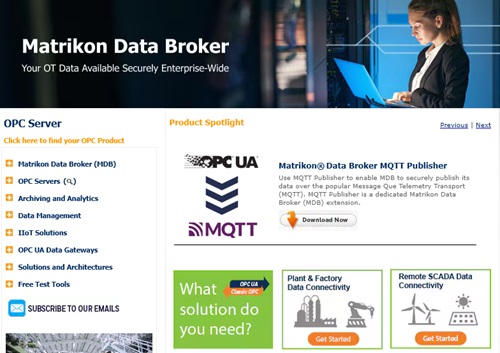
MatrikonOPC ServerHoneywell
Integrate Field Data
into the Monitoring Network
into the Monitoring Network
Collects oil and gas drilling data via OPC. Secure transmission across firewalls and redundancy help maintain an audit-ready data foundation over time.
Quickly Check Who Did What,
and When
and When
All servers include diagnostic logging with log-level settings and filtering. The logs can also serve as a foundation for audit trails.
*Purchasing Site & Enterprise licenses requires an inquiry to
Velotic.