
OPC NEXUS│An OPC Server Comparison Guide for Manufacturing SIs » OPC Server Vendors for Industrial Automation » Beckhoff / TwinCAT 3 OPC UA
Beckhoff / TwinCAT 3 OPC UA
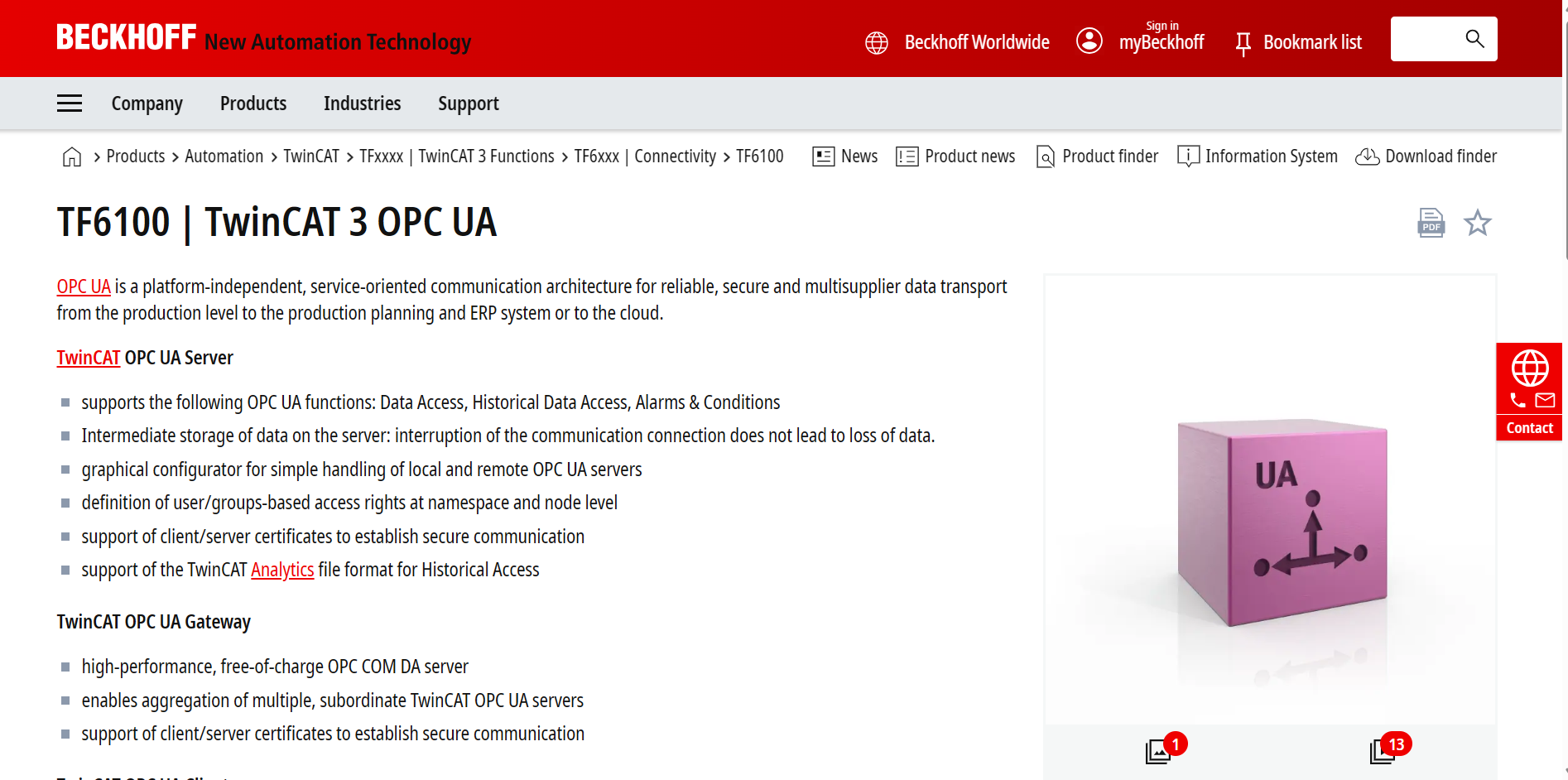
Source: Beckhoff Information System
(https://www.beckhoff.com/en-en/products/automation/twincat/tfxxxx-twincat-3-functions/tf6xxx-connectivity/tf6100.html)
(https://www.beckhoff.com/en-en/products/automation/twincat/tfxxxx-twincat-3-functions/tf6xxx-connectivity/tf6100.html)
TwinCAT 3 OPC UA (TF6100) connects TwinCAT applications with other OPC UA systems. Its server publishes control data to external clients, while its client connects TwinCAT applications to remote OPC UA servers.
For machine builders and manufacturing teams in India, the required connection direction determines which component to configure. A machine supplying data to a monitoring application needs a different setup from a TwinCAT application reading another system's data.
What to Know Before You Choose
- Select the server or client component according to the direction of communication.
- Define whether the application needs current values, historical data, alarms or method calls.
- Check the operating system and TwinCAT build for the specific component and version.
- Treat TF6105 Pub/Sub and TE6100 Nodeset Editor as separate products when planning the configuration.
Challenges TwinCAT 3 OPC UA Can Help Solve
Sharing TwinCAT Data with External Applications
The TwinCAT OPC UA Server makes selected PLC variables available to external clients. Engineers enable the required variables in the TwinCAT project, then connect a client to browse the server's address space and access the published values.
Beckhoff's Quick start demonstrates this with a counter variable. The Sample Client displays the variable in its address tree and subscribes to changes through a watchlist.
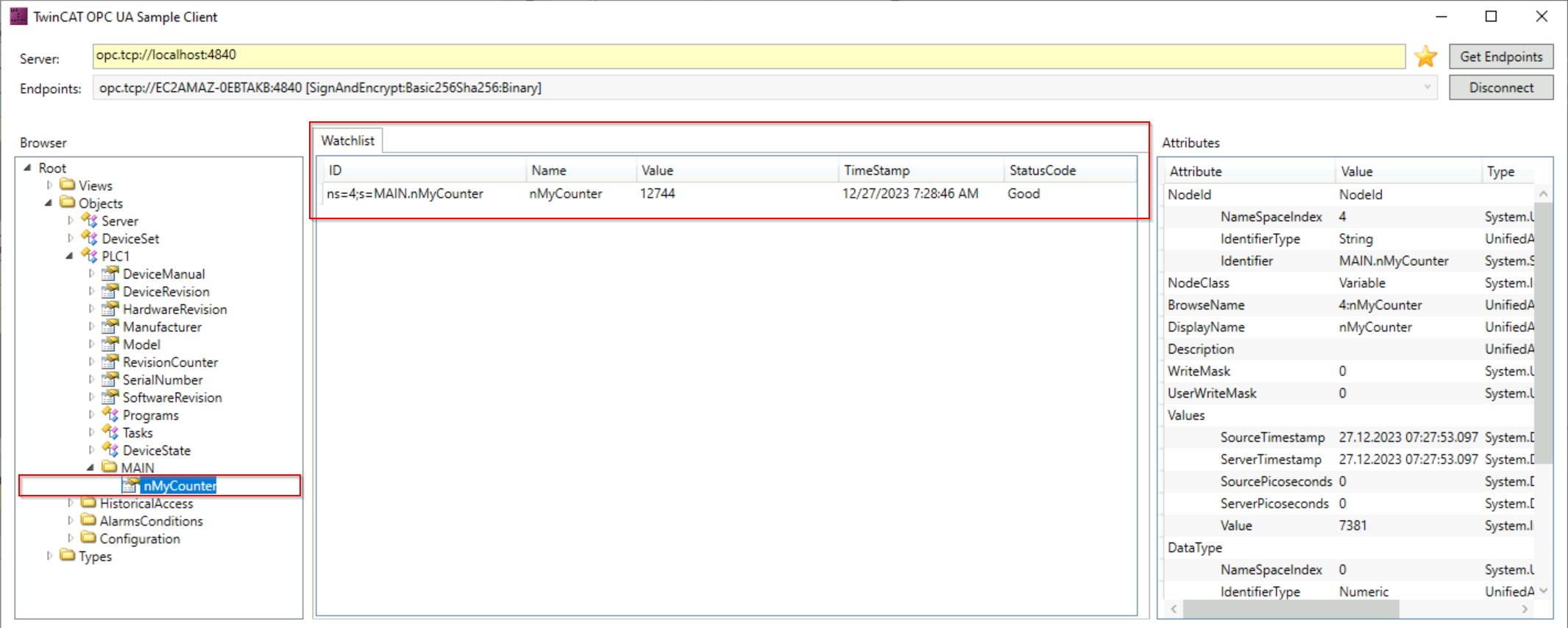
Source: Beckhoff Information System, TwinCAT OPC UA Server Quick start
(https://infosys.beckhoff.com/content/1033/tf6100_tc3_opcua_server/15618696331.html)
(https://infosys.beckhoff.com/content/1033/tf6100_tc3_opcua_server/15618696331.html)
Connecting TwinCAT with External OPC UA Servers
The TwinCAT OPC UA Client connects to remote OPC UA servers. It is available through PLCopen-compliant PLC function blocks or as a TwinCAT I/O device, allowing the connection to become part of the automation project.
This covers applications where TwinCAT consumes information from another system. The remote server must expose the data and operations that the application requires.
Providing Historical Data and Alarm Information
The server supports Historical Data Access and Alarms & Conditions alongside current data access. An external application can therefore use the configured history and alarm interfaces as well as live values.
These functions require their own configuration and a client that supports the corresponding services. A successful live-data connection alone does not verify history or alarm handling.
Source: Beckhoff, TF6100 TwinCAT 3 OPC UA
(https://www.beckhoff.com/en-us/products/automation/twincat/tfxxxx-twincat-3-functions/tf6xxx-connectivity/tf6100.html)
(https://www.beckhoff.com/en-us/products/automation/twincat/tfxxxx-twincat-3-functions/tf6xxx-connectivity/tf6100.html)
What Types of Sites Is TF6100 Suitable For?
TF6100 addresses projects built around TwinCAT where machine data needs a standard interface to another application. Examples include an Indian machine builder providing an OPC UA endpoint to a customer's monitoring system, or a plant connecting an existing TwinCAT-controlled machine to a new data collection client.
For mixed-vendor equipment, identify the interface available on each machine. A remote OPC UA server can provide a connection target for the TwinCAT client; equipment without one needs a separate communication path.
The OPC NEXUS directory provides an overview of OPC server vendors and their connection capabilities.
Key Specifications of TwinCAT 3 OPC UA
| Supported Interfaces: | OPC UA Server and Client. Server functions include Data Access, Historical Data Access and Alarms & Conditions. The associated TwinCAT OPC UA Gateway supports local OPC COM DA clients and aggregation of TwinCAT OPC UA servers. |
|---|---|
| Pricing Guide and Fee Structure: | TF6100 ordering options depend on the target platform level. Contact Beckhoff for pricing and the complete licence configuration required by the application. |
Supported Systems and Connection Targets
The server exposes data from the TwinCAT environment, while the client accesses remote OPC UA servers. These components cover the two main communication directions.
The TwinCAT OPC UA Gateway has a narrower connection scope: it communicates with subordinate TwinCAT OPC UA servers. Its local OPC COM DA interface can serve legacy clients on the same computer; remote DCOM communication is not supported.
Sources: Beckhoff, TF6100 TwinCAT 3 OPC UA
(https://www.beckhoff.com/en-us/products/automation/twincat/tfxxxx-twincat-3-functions/tf6xxx-connectivity/tf6100.html)
Beckhoff Information System
(https://infosys.beckhoff.com/content/1033/tf6100_tc3_opcua_gateway/15551065483.html)
(https://www.beckhoff.com/en-us/products/automation/twincat/tfxxxx-twincat-3-functions/tf6xxx-connectivity/tf6100.html)
Beckhoff Information System
(https://infosys.beckhoff.com/content/1033/tf6100_tc3_opcua_gateway/15551065483.html)
Data Access, Information Models and Security
TF6100 supports certificate-based communication and user/group access rights at namespace and node level. These settings determine who can access the published information.
For a defined machine information model, the server can import OPC UA nodeset files. The separate TE6100 Nodeset Editor creates or modifies those files and links model elements with TwinCAT symbols before export to the server.
OPC UA Pub/Sub over UDP or MQTT belongs to the separate TF6105 product. Include it in the project scope only when that communication pattern is required.
Sources: Beckhoff, TF6100 TwinCAT 3 OPC UA
(https://www.beckhoff.com/en-us/products/automation/twincat/tfxxxx-twincat-3-functions/tf6xxx-connectivity/tf6100.html)
(https://www.beckhoff.com/en-us/products/automation/twincat/tfxxxx-twincat-3-functions/tf6xxx-connectivity/tf6100.html)
Deployment Requirements and Licensing
Operating-system support must be checked by component and version. The server documentation lists Windows, TwinCAT/BSD and Beckhoff RT Linux environments, with Windows CE support limited to specified older setup versions.
The Client v2.x documentation requires at least TwinCAT 3.1 Build 4026.19. It also distinguishes engineering/runtime compatibility: Client v2 engineering is not supported with a Client v1 runtime.
TF6100 requires the appropriate target licence. The product catalogue offers platform-level variants, so provide Beckhoff with the target hardware and the required TwinCAT functions when requesting a quote. Server sizing also depends on the published symbols and client workload, rather than the licence name alone.
Sources: Beckhoff Information System, Server System requirements
(https://infosys.beckhoff.com/content/1033/tf6100_tc3_opcua_server/15550996875.html)
Client System Requirements
(https://infosys.beckhoff.com/content/1033/tf6100_tc3_opcua_client/15428998539.html)
Beckhoff, TF6100 Ordering information
(https://www.beckhoff.com/en-us/products/automation/twincat/tfxxxx-twincat-3-functions/tf6xxx-connectivity/tf6100.html)
(https://infosys.beckhoff.com/content/1033/tf6100_tc3_opcua_server/15550996875.html)
Client System Requirements
(https://infosys.beckhoff.com/content/1033/tf6100_tc3_opcua_client/15428998539.html)
Beckhoff, TF6100 Ordering information
(https://www.beckhoff.com/en-us/products/automation/twincat/tfxxxx-twincat-3-functions/tf6xxx-connectivity/tf6100.html)
TwinCAT 3 OPC UA Case Study: Manz BLS 500
Beckhoff's published Manz case describes TF6100 in the BLS 500 laser welding system for lithium-ion battery modules. The application combines machine control with OPC UA communication between software and control components.
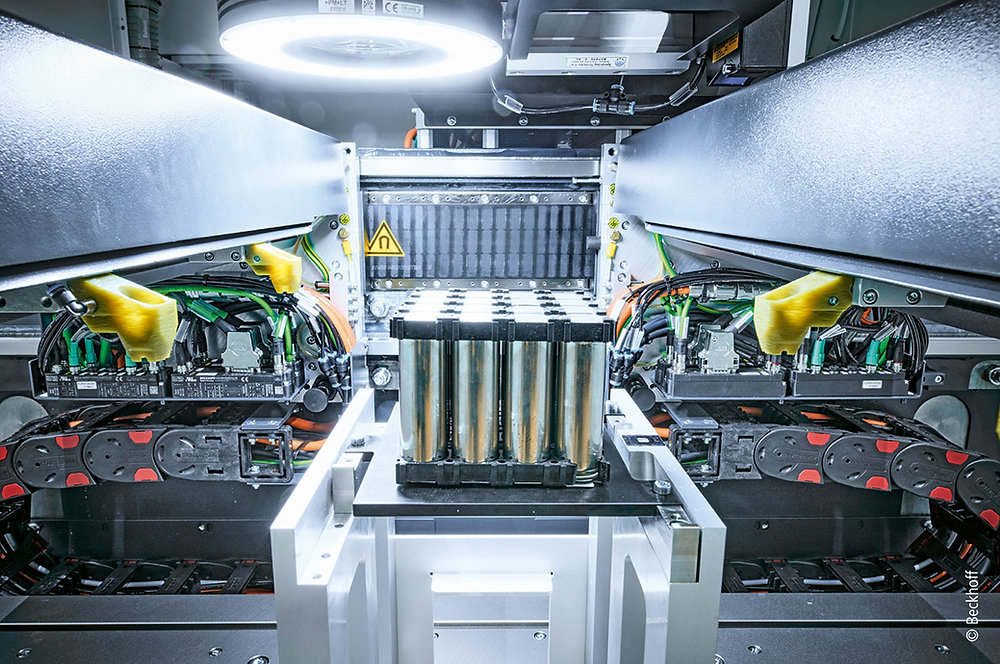
Source: Beckhoff USA, Manz BLS 500 application report
(https://www.blog.beckhoffus.com/post/manz-ev-battery-manufacturing). Published June 23, 2023.
(https://www.blog.beckhoffus.com/post/manz-ev-battery-manufacturing). Published June 23, 2023.
Integration Requirements
Manz needed communication between the machine, its HMI, higher-level systems and a virtual commissioning tool. The system also had to accommodate different battery cell types and module formats.
Implementation and Reported Results
TF6100 provided camera-image transfer to the HMI, higher-level integration and communication across controllers. The virtual commissioning tool also exchanged data with the TwinCAT controller through OPC UA.
Manz reported that its virtual model allowed control-program testing before mechanical assembly. This was a result of the combined automation and software environment; TF6100 supplied the communication used within that setup.
Source: Beckhoff, Automation for highly precise and efficient production of lithium-ion battery modules
(https://www.beckhoff.com/en-us/company/applications-and-references/automation-for-highly-precise-and-efficient-production-of-lithium-ion-battery-modules.html).
(https://www.beckhoff.com/en-us/company/applications-and-references/automation-for-highly-precise-and-efficient-production-of-lithium-ion-battery-modules.html).
Lessons for Projects in India
For a similar machine project in India, map each data exchange before selecting components. Separate the information needed by the HMI, production systems and commissioning tools, then define which component acts as the OPC UA server or client. Test the required data types and update rates on representative hardware.
Is a TF6100 Trial Available?
Beckhoff's TwinCAT 3 Quick start describes a seven-day TF6100 trial licence. The tutorial covers server initialization, enabling a PLC variable and connecting the supplied Sample Client.
Use this first connection to verify the endpoint and certificate setup, then extend the test to the functions required by the project. Include historical access, alarms or method calls where relevant, together with connection recovery.
Source: Beckhoff Information System, TwinCAT OPC UA Server Quick start
(https://infosys.beckhoff.com/content/1033/tf6100_tc3_opcua_server/15618696331.html)
(https://infosys.beckhoff.com/content/1033/tf6100_tc3_opcua_server/15618696331.html)
Manufacturer Information
Beckhoff provides sales, training and technical support contacts through its Indian subsidiary. The official directory lists the India headquarters in Pune and additional sales offices in the country.
| Company Name | Beckhoff Automation GmbH & Co. KG |
|---|---|
| India Headquarters | Suyog Platinum Tower, 9th Floor Naylor Road, Off Mangaldas Road Pune 411001, India |
| India Technical Support | +91-20-6706 4814 support@beckhoff.co.in |
| Official Website | https://www.beckhoff.com/hi-in/ |
Source: Beckhoff, Beckhoff Automation India
(https://www.beckhoff.com/en-gb/company/global-presence/india.html).
Information checked on October 23, 2026.
(https://www.beckhoff.com/en-gb/company/global-presence/india.html).
Information checked on October 23, 2026.
[Advertisement]
OPC Server Products
by Site Requirement
OPC Server Products
by Site Requirement
Advertiser Disclosure:
We receive compensation from some of the companies listed below.This compensation may affect which companies are included and the order in which they appear.
Data Utilization and
Scalable Integration Platform
Scalable Integration Platform
* MQTT and HTTP functions are available in the Professional Edition.
Source: TAKEBISHI CORPORATION official website https://www.faweb.net/en/product/opc , https://www.faweb.net/en/product/opc/v7release
Source: TAKEBISHI CORPORATION official website https://www.faweb.net/en/product/opc , https://www.faweb.net/en/product/opc/v7release
DeviceXPlorer OPC ServerTAKEBISHI CORPORATION
Add or Change Equipment Without Stopping Operation
Communication parameters can be changed dynamically while the server keeps running, so adding a device or revising a setting does not interrupt data collection. Drivers cover 400+ device series from 100+ manufacturers, including Siemens, Rockwell Automation, Mitsubishi Electric and Omron, so most equipment changes are handled as a setting change rather than a rebuild.
One Standard Interface for Upper Systems Across Sites
Every site publishes data through OPC UA, or sends it to AWS, Azure and other cloud services over MQTT or HTTP*, so upper systems see the same interface wherever the data originates. A cloud-side OPC UA client can initiate the connection, so no inbound ports need to be opened at the site. Calculation, conditional branching and recipe handling are configured on the server itself at no additional cost, keeping that work off the SCADA or MES side.
Large-Scale Monitoring
Across Multiple Sites
Across Multiple Sites

Source: PTC official website
https://www.ptc.com/en/products/kepware/kepware-server
https://www.ptc.com/en/products/kepware/kepware-server
Kepware ServerVelotic (Kepware, formerly a PTC business)
Designed for Multi-Site Expansion
Packaged licensing* for large-scale standardization reduces the need to procure licenses when adding new sites or manage updates site by site. This supports scaling while maintaining the management framework.
Remote Management
and Configuration
and Configuration
With add-on options, OPC servers running at different sites can be centrally managed from the main site.
Audit Readiness for Plant Operations
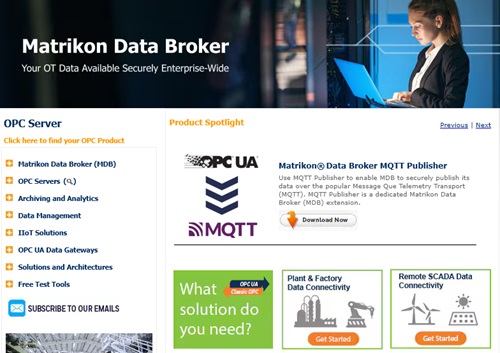
Source: Honeywell official website
https://www.matrikonopc.com/index.aspx
https://www.matrikonopc.com/index.aspx
MatrikonOPC ServerHoneywell
Integrate Field Data
into the Monitoring Network
into the Monitoring Network
Collects oil and gas drilling data via OPC. Secure transmission across firewalls and redundancy help maintain an audit-ready data foundation over time.
Quickly Check Who Did What,
and When
and When
All servers include diagnostic logging with log-level settings and filtering. The logs can also serve as a foundation for audit trails.
*Purchasing Site & Enterprise licenses requires an inquiry to
Velotic.