
OPC NEXUS│An OPC Server Comparison Guide for Manufacturing SIs » OPC Server Vendors for Industrial Automation » Skkynet / Cogent DataHub
Skkynet / Cogent DataHub
Cogent DataHub collects data from OPC UA servers and shares it with OPC UA clients, including SCADA and MES applications. It acts as a client and server simultaneously, with protocol conversion and aggregation for connections across different systems.
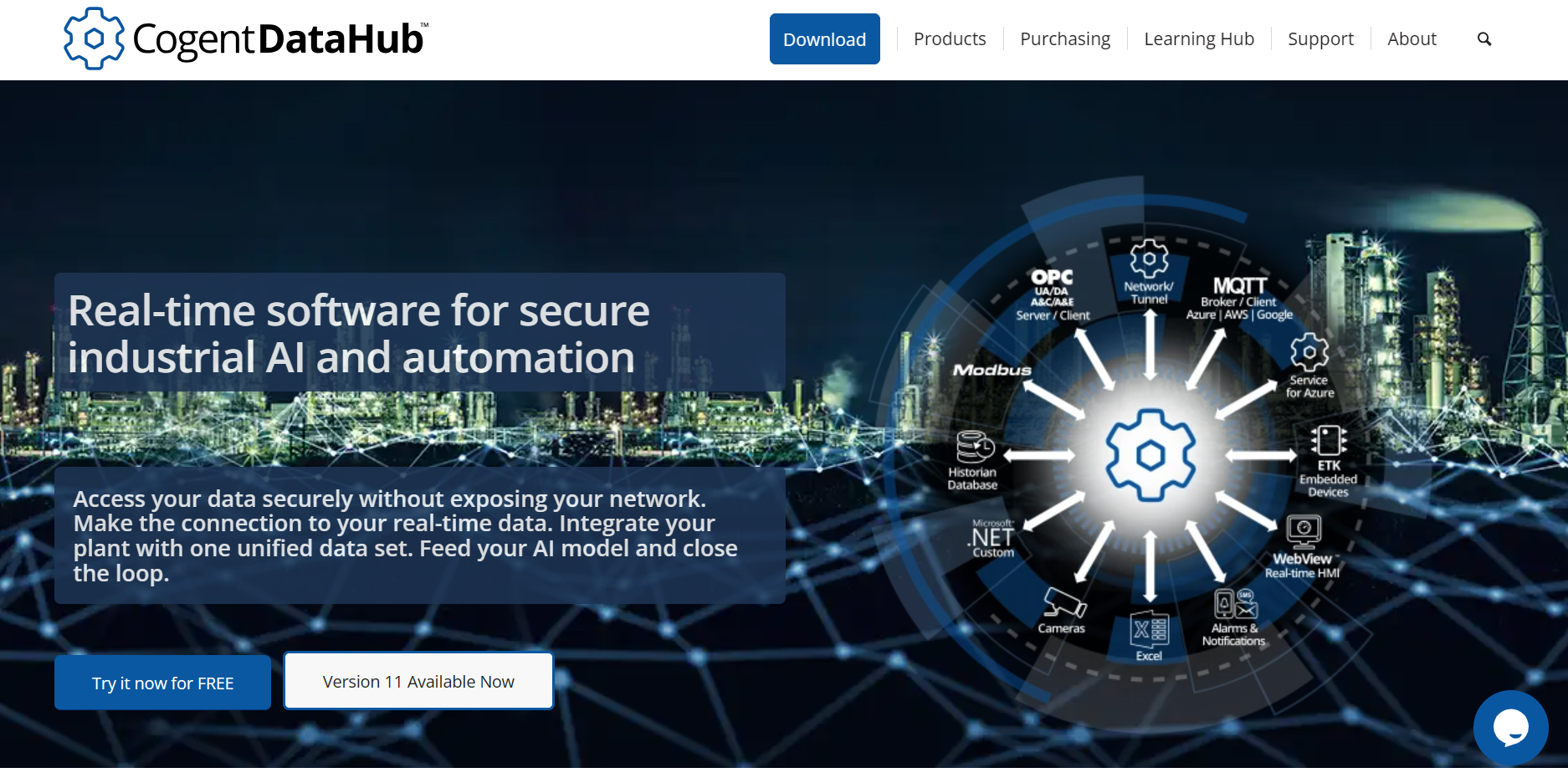
Source: Cogent DataHub Official Website
(https://cogentdatahub.com/)
(https://cogentdatahub.com/)
Key Takeaways
- Use OPC conversion to connect existing DA systems with UA applications.
- Evaluate tunnelling when data must cross plant or site network boundaries.
- Select the licence pack and add-ons around the required connections and deployment size.
Challenges Cogent DataHub helps solve
Connecting OPC DA systems to OPC UA applications
DataHub OPC Gateway lets UA clients access DA servers and DA clients access UA servers. This keeps the equipment-facing OPC server in place when the application consuming its data changes.
Sharing OPC data across network boundaries
The DataHub Transfer Protocol (DHTP) carries data between DataHub instances, replacing networked DCOM on the tunnelled path. The UA Tunneller supports proxy connections and read-only remote access.
To keep inbound connections closed at both ends, place a DataHub instance in a DMZ and connect to it from instances on the plant and user networks.
Delivering production data to MES and other systems
DataHub combines selected points from multiple sources into a shared data set. For example, production values can feed an MES database while a monitoring application reads the same source data. Database and MQTT interfaces provide connections to IT systems.
Source: Cogent DataHub, Product Overview
(https://cogentdatahub.com/products/cogent-datahub/)
(https://cogentdatahub.com/products/cogent-datahub/)
When to use Cogent DataHub
Use DataHub to add data consumers while retaining existing OPC interfaces, or to separate plant connections from remote access. Define the source servers, destination applications and read/write permissions before choosing the deployment.
Compare OPC servers against the controllers and protocols your project needs.
Cogent DataHub specifications
| Product Type | Industrial data connectivity, aggregation and protocol-conversion software |
|---|---|
| Operating Environment | Windows PC or Windows Server. Vendor-listed systems include Windows 11 and Windows Server 2016, 2019, 2022 and 2025, with .NET 4.6.2. |
| OPC Interfaces | OPC UA and OPC DA client/server connections; OPC A&E and OPC UA A&C capabilities |
| Other Connections | MQTT client/broker, Sparkplug, Modbus TCP/RTU, ODBC and DDE/Excel |
| Additional Functions | WebView HMI, historian connections, scripting, notifications and data redundancy |
| Release at Review | 11.2.0, released on 30 September 2026 |
Available functions depend on the licence pack and add-ons.
Source: Cogent DataHub, Installation
(https://cogentdatahub.com/docs/cdh-installation.html)
(https://cogentdatahub.com/docs/cdh-installation.html)
Cogent DataHub products and licensing
| Package | Main Included Interfaces | Use |
|---|---|---|
| DataHub OPC Gateway | OPC UA and OPC DA | Convert between UA and DA connections |
| DataHub UA Tunneller | OPC UA, OPC DA and Tunnel/Mirror | Carry OPC data across networks |
| DataHub IoT Gateway | OPC UA, OPC DA, MQTT Client and Tunnel/Mirror | Connect OPC data to MQTT-based systems |
| DataHub UA Logger | OPC UA and Database | Record OPC UA data in an ODBC database |
Historian connections, bridging and redundancy may require add-ons. MQTT connections also have link-licence requirements. Each DataHub instance on a computer or virtual machine requires its own licence. Include every instance in a tunnel or multi-site design when requesting a quote.
The subscription plan is billed annually with a minimum initial term of 24 months. For procurement in India, request the price, billing currency and applicable taxes, and confirm support arrangements with the supplier.
Source: Cogent DataHub (https://cogentdatahub.com/purchasing/)
Cogent DataHub use case
Connecting pharmaceutical production data to an MES
Cogent's published use case describes an unnamed pharmaceutical plant in the Middle East that needed to send drug-synthesis production data from PLC-controlled equipment to its MES.
The plant connected the PLCs to an OPC server and used DataHub to feed the MES database. Staff could view plant status remotely, and authorised users could send control commands back to production.
How to download and evaluate Cogent DataHub
Request the software through the official Cogent DataHub download form. Without a licence, the application starts in demo mode with a one-hour time limit.
Use representative data to check connections, read/write behaviour and update rates before selecting the deployment and licences.
Source: Cogent DataHub, Download
(https://cogentdatahub.com/download/)
(https://cogentdatahub.com/download/)
How to connect an OPC UA client to Cogent DataHub
In this arrangement, DataHub is the OPC UA server and the external application is the client.

Source: Cogent DataHub Documentation
(https://cogentdatahub.com/docs/cdh-cfgopcuaserver.html)
(https://cogentdatahub.com/docs/cdh-cfgopcuaserver.html)
- Open DataHub Properties and select OPC UA.
- Enable Act as an OPC UA Server, check the required protocol and endpoint settings, and click Apply.
- Allow remote connections in Security, create a user and assign the permissions that client needs.
- In the client application, add the DataHub endpoint. Select compatible security and authentication settings, enter the credentials and establish certificate trust where required.
- Browse the available nodes and select the data to monitor.
Source: Cogent DataHub, How to connect an OPC UA client
(https://cogentdatahub.com/how-to-connect-an-opc-Ua-client/)
(https://cogentdatahub.com/how-to-connect-an-opc-Ua-client/)
Cogent DataHub FAQ
Can Cogent DataHub connect directly to a PLC?
The Modbus feature connects DataHub to Modbus TCP or RTU slave devices, including compatible PLCs. Equipment using other protocols may need an OPC server or another driver to expose its data.
Can DataHub retain records during a database connection outage?
With database logging and Store and Forward enabled, DataHub caches transactions locally and forwards them after reconnection. Size the cache for the expected outage. If it reaches its configured maximum, DataHub discards new transactions.
Source: Cogent DataHub Documentation, Configuring the Queue, Store and Forward
(https://cogentdatahub.com/docs/cdh-loggingqueuestorefwd.html)
(https://cogentdatahub.com/docs/cdh-loggingqueuestorefwd.html)
Manufacturer information
Cogent Real-Time Systems Inc. was established in 1995 and is part of Skkynet. The companies work together to integrate Cogent DataHub with Skkynet technologies.
| Developer | Cogent Real-Time Systems Inc. |
|---|---|
| Parent Company | Skkynet |
| Published Contact Address | 302-2233 Argentia Road, Mississauga, ON L5N 2X7, Canada |
| International Telephone | +1-905-702-7851 |
| Sales Contact | sales@skkynet.com |
| Official Website | https://cogentdatahub.com/ |
Source: Cogent DataHub (https://cogentdatahub.com/about/)
[Advertisement]
OPC Server Products
by Site Requirement
OPC Server Products
by Site Requirement
Advertiser Disclosure:
We receive compensation from some of the companies listed below.This compensation may affect which companies are included and the order in which they appear.
Data Utilization and
Scalable Integration Platform
Scalable Integration Platform

* MQTT and HTTP functions are available in the Professional Edition.
Source: TAKEBISHI CORPORATION official website https://www.faweb.net/en/product/opc , https://www.faweb.net/en/product/opc/v7release
Source: TAKEBISHI CORPORATION official website https://www.faweb.net/en/product/opc , https://www.faweb.net/en/product/opc/v7release
DeviceXPlorer OPC ServerTAKEBISHI CORPORATION
Add or Change Equipment Without Stopping Operation
Communication parameters can be changed dynamically while the server keeps running, so adding a device or revising a setting does not interrupt data collection. Drivers cover 400+ device series from 100+ manufacturers, including Siemens, Rockwell Automation, Mitsubishi Electric and Omron, so most equipment changes are handled as a setting change rather than a rebuild.
One Standard Interface for Upper Systems Across Sites
Every site publishes data through OPC UA, or sends it to AWS, Azure and other cloud services over MQTT or HTTP*, so upper systems see the same interface wherever the data originates. A cloud-side OPC UA client can initiate the connection, so no inbound ports need to be opened at the site. Calculation, conditional branching and recipe handling are configured on the server itself at no additional cost, keeping that work off the SCADA or MES side.
Large-Scale Monitoring
Across Multiple Sites
Across Multiple Sites

Source: PTC official website
https://www.ptc.com/en/products/kepware/kepware-server
https://www.ptc.com/en/products/kepware/kepware-server
Kepware ServerVelotic (Kepware, formerly a PTC business)
Designed for Multi-Site Expansion
Packaged licensing* for large-scale standardization reduces the need to procure licenses when adding new sites or manage updates site by site. This supports scaling while maintaining the management framework.
Remote Management
and Configuration
and Configuration
With add-on options, OPC servers running at different sites can be centrally managed from the main site.
Audit Readiness for Plant Operations
Source: Honeywell official website
https://www.matrikonopc.com/index.aspx
https://www.matrikonopc.com/index.aspx
MatrikonOPC ServerHoneywell
Integrate Field Data
into the Monitoring Network
into the Monitoring Network
Collects oil and gas drilling data via OPC. Secure transmission across firewalls and redundancy help maintain an audit-ready data foundation over time.
Quickly Check Who Did What,
and When
and When
All servers include diagnostic logging with log-level settings and filtering. The logs can also serve as a foundation for audit trails.
*Purchasing Site & Enterprise licenses requires an inquiry to
Velotic.