
OPC NEXUS│An OPC Server Comparison Guide for Manufacturing SIs » OPC Server Vendors for Industrial Automation » AVEVA / AVEVA OPC Server
AVEVA / AVEVA OPC Server

Source: AVEVA Official Website
(https://www.aveva.com/)
(https://www.aveva.com/)
The AVEVA OPC server you need depends on where your data resides. System Platform provides an OPC UA service for accessing Application Server data. AVEVA PI OPC UA Server provides OPC UA access to PI Server data. For projects in India, start by identifying which system holds the data your external application needs.
The sections below compare these two options and cover configuration and purchasing. If you need to collect data directly from PLCs, identify the equipment communication components separately from the service that exposes existing AVEVA data.
What to Check Before Choosing a Server
- Match the server to the source system: Application Server or PI Server.
- Separate equipment data collection from access to data already held in an AVEVA application.
- Check that your installed release supports the client operations you need.
- Discuss evaluation arrangements, implementation in India, and ongoing support before purchasing.
Which AVEVA OPC UA server do you need?
Identify the data source and destination first. Reading data from an AVEVA system and collecting data into it require different components, even when both connections use OPC UA.
| Project Requirement | Option to Investigate | Connection Direction |
|---|---|---|
| Give an external application access to Application Server data | System Platform OPC UA service | Application Server data accessed by an OPC UA client |
| Give an external application access to PI Server data | AVEVA PI OPC UA Server | PI Server data accessed by an OPC UA client |
| Collect PLC or other equipment data into an AVEVA system | The equipment driver, OPC client, adapter, or gateway required by the target system | Equipment data collected into the AVEVA application |
For equipment data collection, give the implementation team the controller model, firmware, available protocol, and destination application. They will need these details to check compatibility. An OPC UA endpoint that publishes application data does not, by itself, confirm support for specific PLC models.
Source: AVEVA official website (https://www.aveva.com/en/products/aveva-pi-server/)
How external applications can access AVEVA data
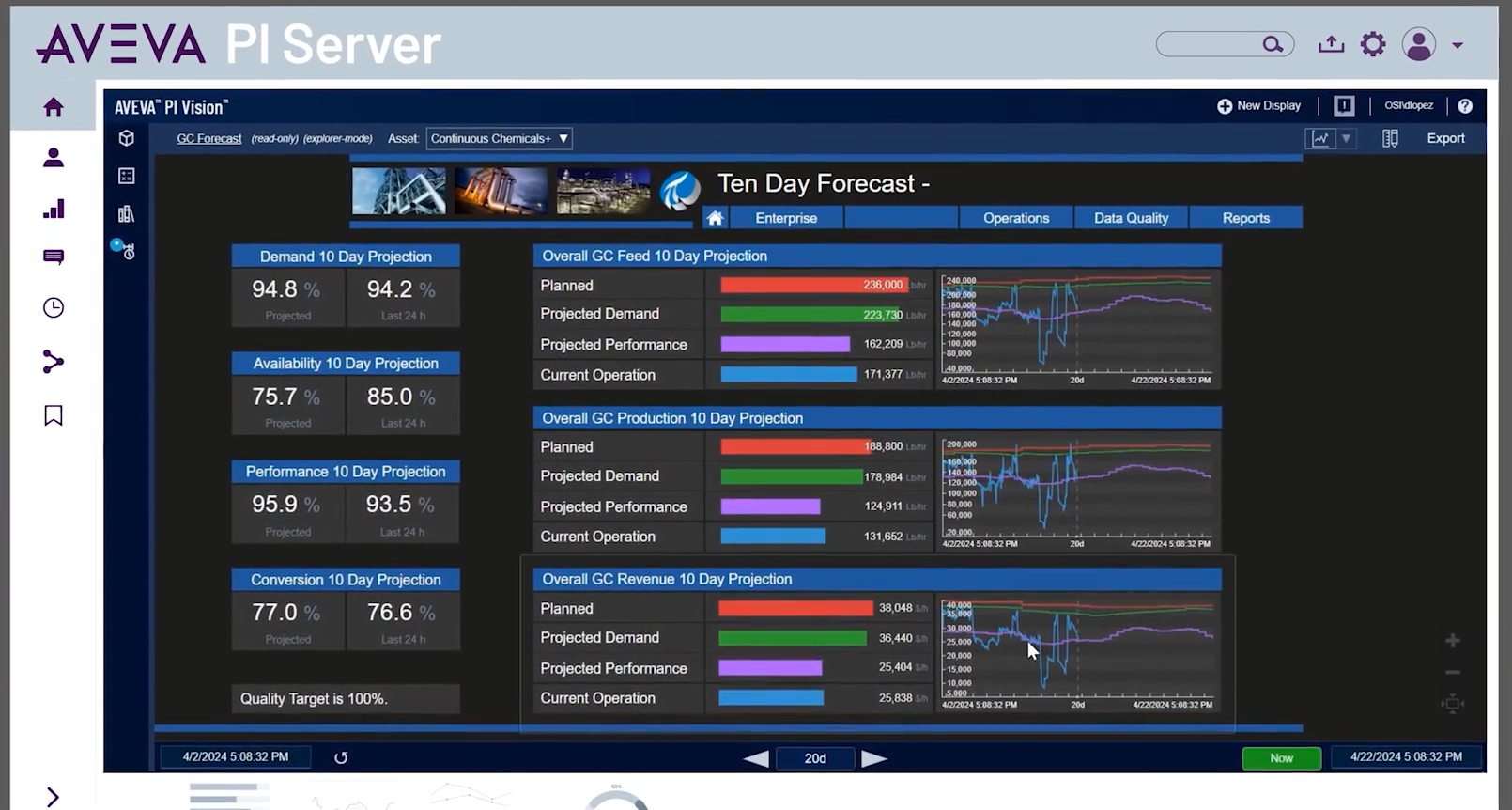
Source: AVEVA Official Website
(https://www.aveva.com/en/products/aveva-pi-server/)
(https://www.aveva.com/en/products/aveva-pi-server/)
Access Application Server data
from an external application
The System Platform OPC UA service gives OPC UA clients access to Application Server data without a Galaxy Browser, gateway, or additional protocol translation mechanism for that connection. A third-party client can browse the available namespace and access runtime attributes within its configured permissions.
If your plant already runs Application Server, use this connection to share application data with another OPC UA-capable system. Select the attributes the receiving client needs, then test its access. This connection does not require a separate translation layer.
Source: AVEVA official website (https://www.aveva.com/en/products/aveva-pi-server/)
Use existing PI data
in OPC UA applications
AVEVA PI Server stores operational data and organizes it with asset context. AVEVA PI OPC UA Server gives external OPC UA applications access to that existing PI data.
An external application may, for example, need measurements already managed in PI. Accessing those measurements avoids collecting the same signals again from plant equipment. Specify the information and update behaviour the application needs before choosing the interface, then check the supported access functions listed below.
Source: AVEVA official website (https://www.aveva.com/en/products/aveva-pi-server/)
Which sites should consider
AVEVA OPC UA connectivity?
Plants already running System Platform
Consider the System Platform OPC UA service if the information you need is already available as Application Server objects and attributes. System Platform uses reusable asset models and templates. Identify the application attributes the receiving system needs as well as the underlying equipment signals.
Record your installed release, runtime nodes, and destination client before planning the connection so the implementation team can assess it against your existing architecture.
Companies already using PI Server
Consider PI OPC UA Server if an external OPC UA application needs information already managed in PI. Test it with representative assets and measurements from your installation. Set acceptance criteria around what the receiving application must do.
For an Indian project spanning several facilities, identify the site that owns the source data and the team that will operate the connection. Choose the starting point based on your existing software and required data path; location alone does not establish product suitability.
If you need to connect equipment from several vendors, compare OPC server products against your controllers and integration requirements. The vendor overview below links to other products you can evaluate.
Specifications
of AVEVA OPC UA server options
| Item | System Platform OPC UA Service | AVEVA PI OPC UA Server |
|---|---|---|
| Connection Targets | Application Server objects and attributes in the Galaxy namespace | PI Data Archive and PI Asset Framework |
| Documented Data Access | Browse the namespace and read runtime data; attribute changes depend on access rules and user permissions | Current-value polling and subscriptions; raw historical values and aggregates; writeback |
| Protocol Information | OPC UA; check the specification for the installed release | OPC UA v1.04, as presented at AVEVA World in May 2026 |
| Authentication and Access | Galaxy security, OPC UA client access rules, and user roles | X.509 between OPC UA components; Windows Integrated Security or OpenID Connect between AVEVA components, as presented in May 2026 |
| Pricing Guide and Fee Structure | Contact AVEVA for the applicable product entitlement and quotation | Contact AVEVA for PI OPC UA Server licensing and quotation |
Source: AVEVA official website (https://www.aveva.com/en/products/aveva-pi-server/)
Supported devices
and connection targets
Each server exposes data from its source application. For Application Server, check that the required objects are deployed and that the client can access their attributes. According to the cited documentation, an undeployed Galaxy allows object browsing but not attribute browsing.
Check the upstream communication components separately for equipment connectivity. Access to application attributes does not confirm direct driver support for a particular PLC.
Implementation requirements
and pricing
Ask for a quotation that specifies the OPC UA component, compatible host products, and required deployment environment. Give the supplier your proposed client count and data volume, along with update requirements and support responsibilities.
AVEVA's PI Server product page describes subscription purchasing through PI Data Infrastructure and AVEVA Flex credits. Confirm the separate entitlement requirements for PI OPC UA Server; the PI Server purchasing information does not establish whether that component is included.
Source: AVEVA official website (https://www.aveva.com/en/products/aveva-pi-server/)
How do you configure the System Platform
OPC UA service?
Configure and deploy the service in the System Platform IDE, then test the connection from your intended client. The steps below follow the cited Application Server documentation. Check menu names and requirements against your installed release.
- Configure the service: Open Galaxy > Configure > System > Services and check out the OPC UA service instance.
- Set the endpoint port: The documented default is 48031. Additional instances require unique ports.
- Set encryption and access rules: Configure the client to match the server's communication settings.
- Assign and deploy: Select the runtime node, check in the service, and deploy it.
- Configure network access and certificates: Complete the runtime-node firewall and client/server certificate configuration.
- Test the required operations: Connect with the intended account, browse the namespace, and verify the required attribute access.
Control production access
and attribute changes
AVEVA recommends encrypted communication and disabling anonymous client connections in production. Write access requires both the appropriate service setting and permission in the user's Galaxy security role. Enabling the write option alone does not let every authenticated user change every attribute.
Application certificates and user authentication have different purposes. The cited runtime-access documentation states that this Application Server release does not support OPC UA login by certificate. Check the System Platform service's authentication requirements separately from those for PI OPC UA Server.
Source: AVEVA official website (https://www.aveva.com/en/products/aveva-pi-server/)
Is an AVEVA OPC server
trial or demo available?
In an official administrator response dated March 31, 2026, AVEVA confirmed that PI OPC UA Server had been released and was available for download through the Support Portal. Ask AVEVA about download access and the evaluation entitlement your project requires.
For the System Platform OPC UA service, request a demonstration or evaluation using the relevant System Platform installation. The reviewed public sources do not confirm a standard free trial period for either option.
Test the receiving application with representative data at the required update rates. Verify each operation your project needs. For procurement in India, agree who will handle installation and acceptance testing, and who will provide support after deployment.
Manufacturer information
and India contacts
AVEVA develops industrial software, including System Platform and PI Server, and is part of the Schneider Electric group. Its official locations page lists offices in Bengaluru, Hyderabad, and Mumbai. Ask AVEVA which team handles your chosen product and project.
| Company Name | AVEVA Group Limited |
|---|---|
| Headquarters Address | High Cross, Madingley Road, Cambridge CB3 0HB, United Kingdom |
| India Offices |
[Bengaluru] AVEVA Solutions India LLP Sarjapur Outer Ring Road, Chandana, Kadabeesanahalli, Bengaluru 560103, India [Hyderabad] AVEVA Solutions India LLP Tower 1, 2nd Floor, WaveRock, Sy. No. 115, APIIC IT/ITES SEZ, Nanakramguda, Gachibowli, Hyderabad 500008, India [Mumbai] AVEVA Information Technology India Private Limited Unit No. 202, Wing A, Supreme Business Park, Behind Lake Castle, Hiranandani Gardens, Powai, Mumbai 400076, India |
| Official Website | https://www.aveva.com/en/ |
Company and contact information | Information checked on October 6, 2026
OPC Server Products
by Site Requirement
by Site Requirement
Data Utilization and
Scalable Integration Platform
Scalable Integration Platform

* MQTT and HTTP functions are available in the Professional Edition.
Source: TAKEBISHI CORPORATION official website https://www.faweb.net/en/product/opc , https://www.faweb.net/en/product/opc/v7release
Source: TAKEBISHI CORPORATION official website https://www.faweb.net/en/product/opc , https://www.faweb.net/en/product/opc/v7release
DeviceXPlorer OPC ServerTAKEBISHI CORPORATION
Add or Change Equipment Without Stopping Operation
Communication parameters can be changed dynamically while the server keeps running, so adding a device or revising a setting does not interrupt data collection. Drivers cover 400+ device series from 100+ manufacturers, including Siemens, Rockwell Automation, Mitsubishi Electric and Omron, so most equipment changes are handled as a setting change rather than a rebuild.
One Standard Interface for Upper Systems Across Sites
Every site publishes data through OPC UA, or sends it to AWS, Azure and other cloud services over MQTT or HTTP*, so upper systems see the same interface wherever the data originates. A cloud-side OPC UA client can initiate the connection, so no inbound ports need to be opened at the site. Calculation, conditional branching and recipe handling are configured on the server itself at no additional cost, keeping that work off the SCADA or MES side.
Large-Scale Monitoring
Across Multiple Sites
Across Multiple Sites

Source: PTC official website
https://www.ptc.com/en/products/kepware/kepware-server
https://www.ptc.com/en/products/kepware/kepware-server
Kepware ServerVelotic (Kepware, formerly a PTC business)
Designed for Multi-Site Expansion
Packaged licensing* for large-scale standardization reduces the need to procure licenses when adding new sites or manage updates site by site. This supports scaling while maintaining the management framework.
Remote Management
and Configuration
and Configuration
With add-on options, OPC servers running at different sites can be centrally managed from the main site.
Audit Readiness for Plant Operations
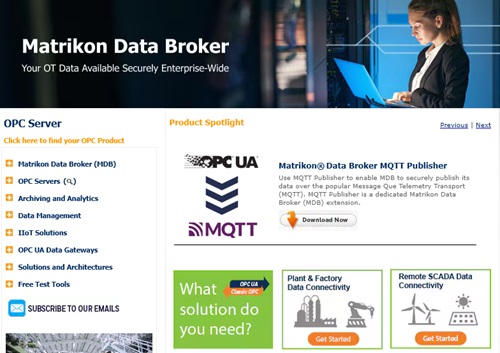
Source: Honeywell official website
https://www.matrikonopc.com/index.aspx
https://www.matrikonopc.com/index.aspx
MatrikonOPC ServerHoneywell
Integrate Field Data
into the Monitoring Network
into the Monitoring Network
Collects oil and gas drilling data via OPC. Secure transmission across firewalls and redundancy help maintain an audit-ready data foundation over time.
Quickly Check Who Did What,
and When
and When
All servers include diagnostic logging with log-level settings and filtering. The logs can also serve as a foundation for audit trails.
*Purchasing Site & Enterprise licenses requires an inquiry to
Velotic.